
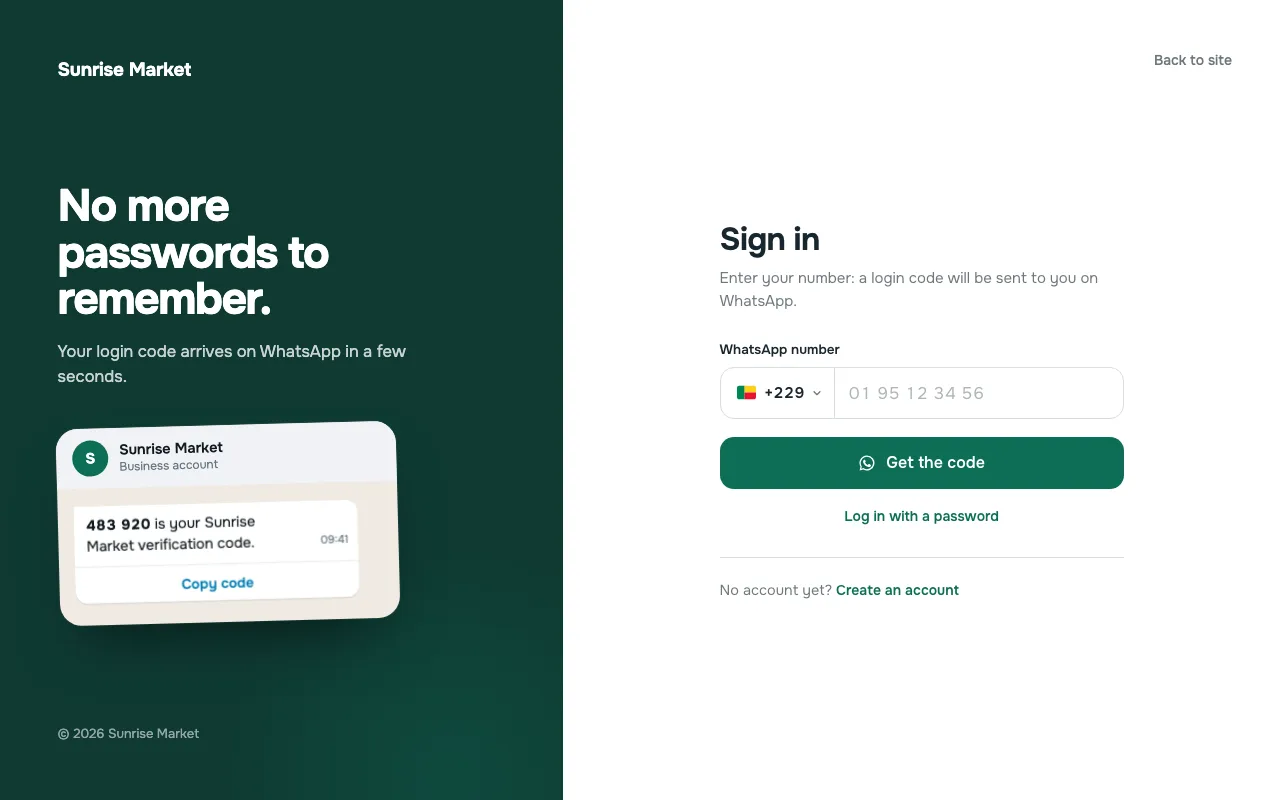
Forgotten passwords, abandoned accounts, reset e-mails that never arrive: login is often the weak spot of a WordPress site. In many countries, and especially in West Africa, your customers check WhatsApp far more often than their inbox. So we built TRC OTP Login, a free WordPress plugin that lets people log in, register and reset their password with a one-time code sent on WhatsApp.
The plugin is available on WordPress.org. It works on its own: no other login plugin is needed.
What the plugin does
- Login with a WhatsApp code, with an optional password login (phone number or email).
- Registration verified by WhatsApp: name, email and password can each be required, optional or hidden.
- Lost password: a WhatsApp code, then a new password.
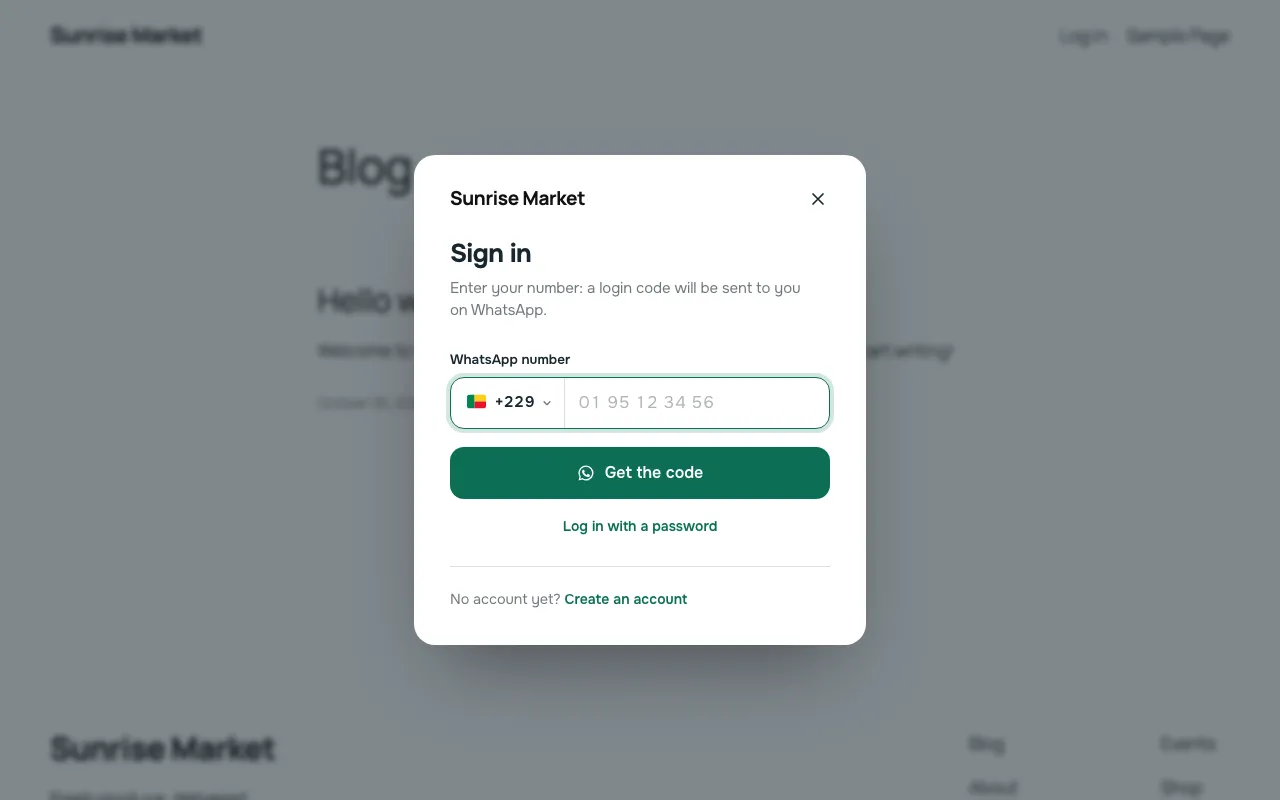
- Country code selector for 245 countries with translated names, priority countries and an optional allow-list. Benin is the default country.
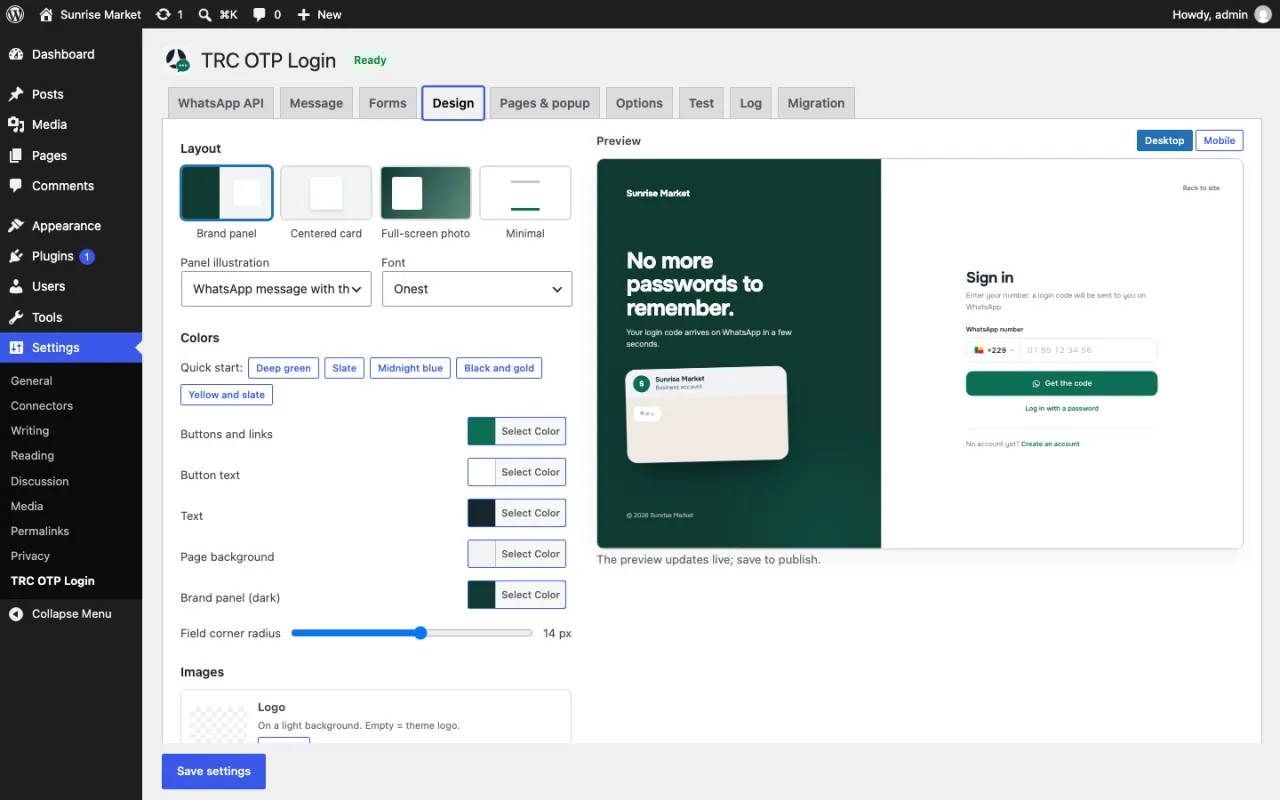
- A polished login page in 4 layouts (brand panel, centered card, full-screen photo, minimal), with customizable colors, logos, font and texts and a live preview in the admin.
- A site-wide login popup, opened by menu links or by old login addresses.
- WooCommerce: the WooCommerce login forms are replaced, and old addresses (such as
/my-account/) and optionallywp-login.phpare redirected.
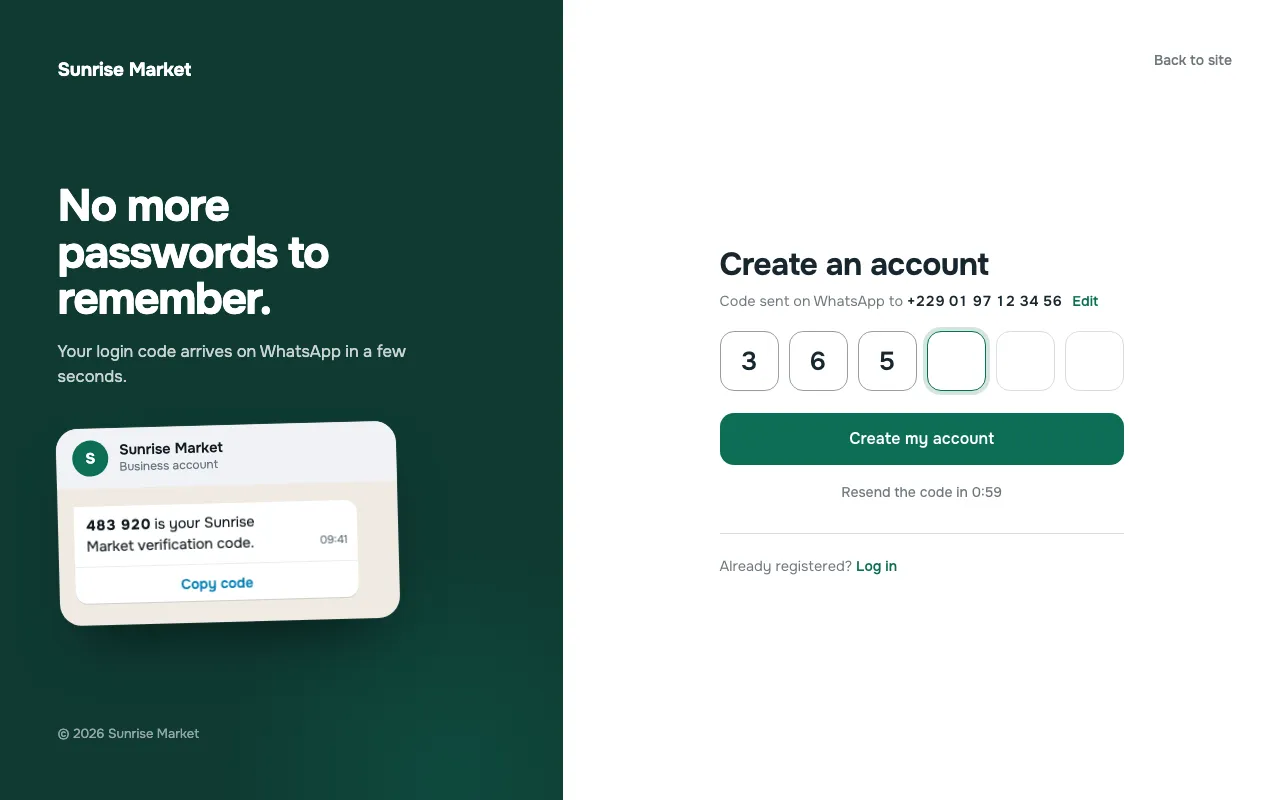
Installation
- In WordPress, open Plugins → Add New, search for "TRC OTP Login", install and activate it.
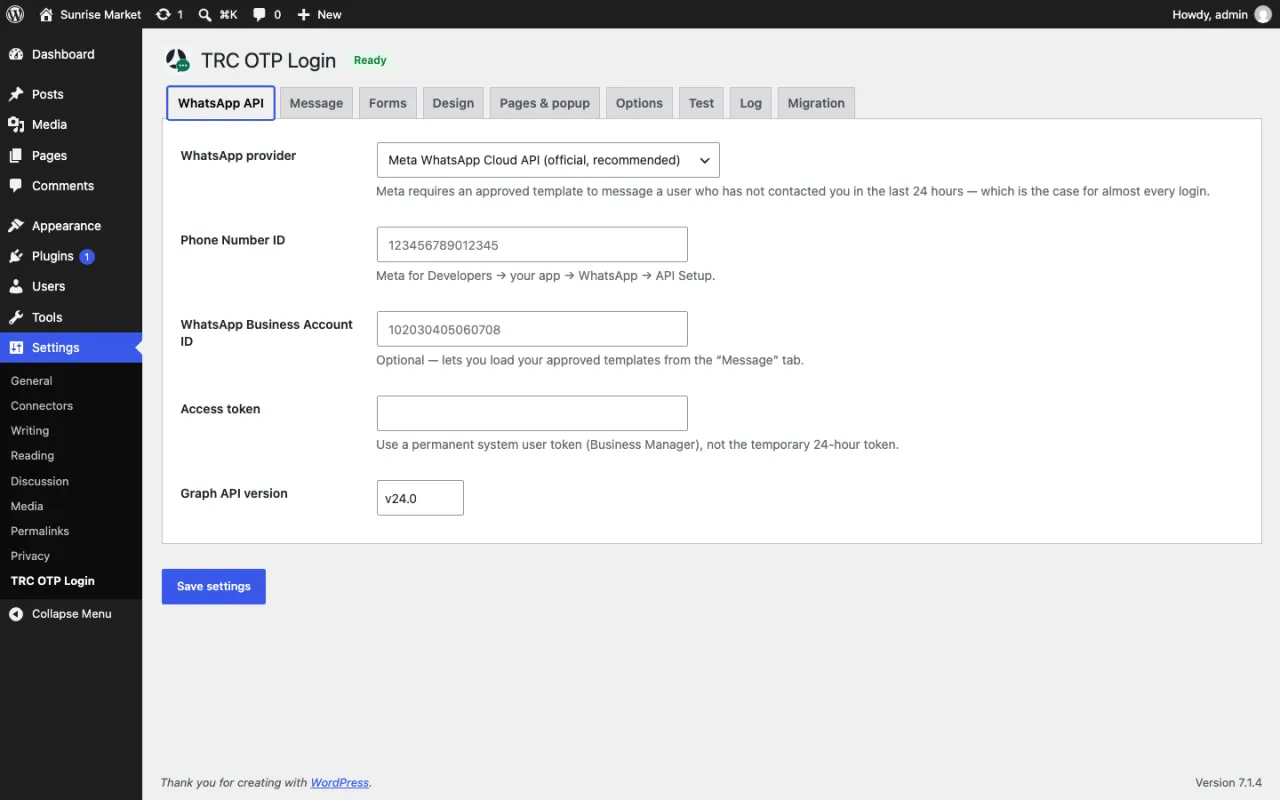
- In Settings → TRC OTP Login, WhatsApp API and Message tabs: enter your provider credentials and message template, then check sending in the Test tab.
- Pages & popup tab: click "Create the Login page", then add the old login addresses to replace.
- Design tab: choose the layout, colors and logos.
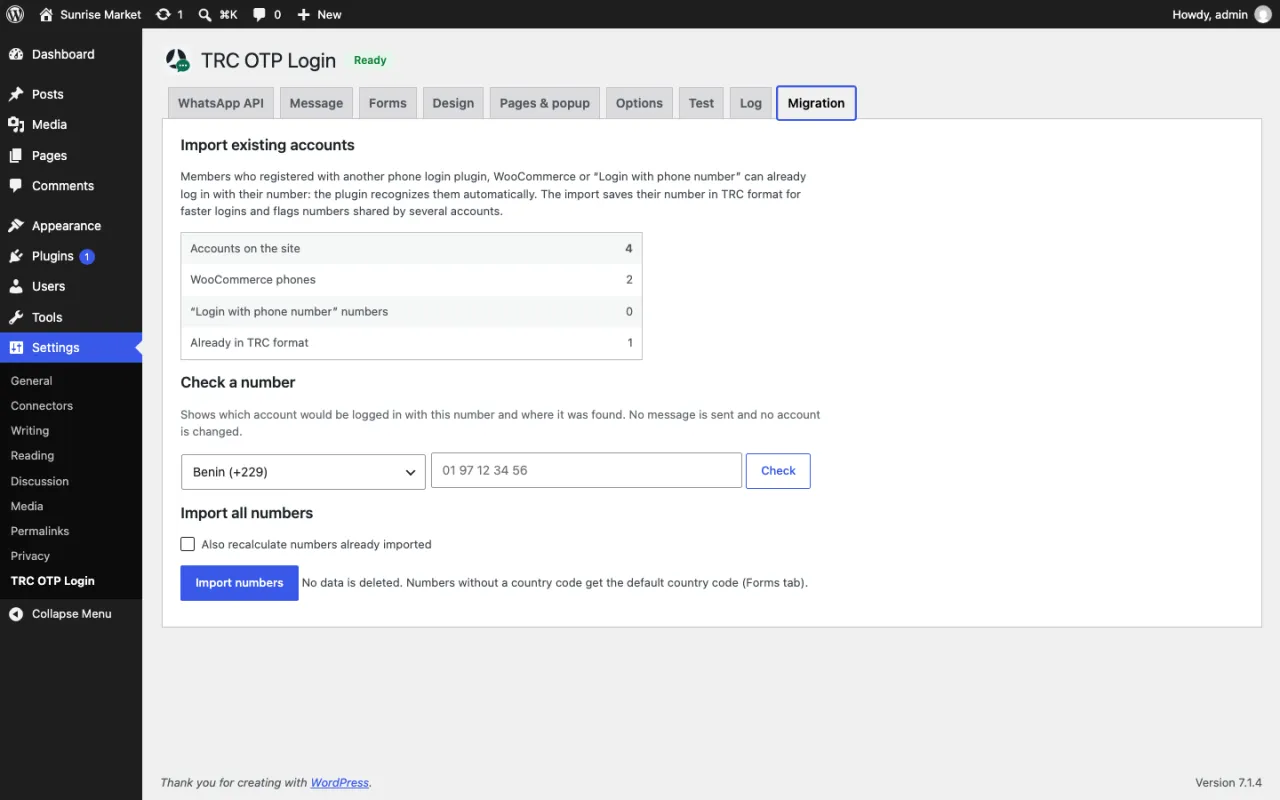
- Migration tab: run "Import numbers" if your members already have a phone number on their account.
- Check that an existing account can log in, then deactivate your previous login plugin.
Which WhatsApp provider?
The plugin sends the code through the provider you choose:
- Meta WhatsApp Cloud API, the official API. You need a WhatsApp Business account, a phone number ID, a permanent access token and an approved message template (an "Authentication" template is recommended).
- UltraMsg or Green-API, which work with their own WhatsApp instances.
- A custom HTTP API, if you use another gateway.
Only the selected provider is contacted, and only when a code is requested.
Your existing accounts carry over
No need to start from scratch. Numbers already saved by WooCommerce (billing_phone), by the "OTP Login With Phone Number" plugin (phone_number) or by any other field you add are recognized, and the import normalizes them to the international format.
For Benin, old 8-digit numbers and new 10-digit numbers (+229 01 XX XX XX XX) are the same account: the number is always saved and contacted in the 10-digit format. Old accounts are updated at login or during the import.
Security
Codes are stored hashed, attempts are limited, a delay applies between resends, and limits apply per number and per IP address. A honeypot field stops bots, and a fresh security nonce is provided even on cached pages. New accounts can never receive a privileged role.
For developers
Place the form wherever you want with the shortcodes:
[trc_wa_login_form tab="login" redirect="/my-account/"]
[trc_wa_login_page]
[trc_wa_login_link tab="register" text="Create an account"]
In a menu, the #trc-login and #trc-register links open the login popup. You can also open it from JavaScript:
TRCWAAuth.open("login"); // or "register"
TRCWAAuth.close();
And send a code outside the login forms, from your own PHP code:
trc_wa_otp_send( $phone, $code );The plugin also offers filters (trc_wa_login_redirect, trc_wa_new_user_role, trc_wa_otp_message_text…) and actions (trc_wa_logged_in, trc_wa_user_registered…). To fully customize the login page, copy templates/login-page.php into your theme as trc-otp-login/login-page.php.
Try it
TRC OTP Login is free. It works with WordPress 5.9 or later and PHP 7.4 or later.
- Download the plugin: wordpress.org/plugins/trc-otp-login
Need help setting it up, connecting it to your WhatsApp Business account or adapting it to your site? Get in touch.
TRC OTP Login is not affiliated with or endorsed by WhatsApp or Meta.
